Jun 25 2012

Fountain Update

Today I pushed to GitHub my first significant update to Fountain, and boy is it a big one. This is the result of fantastic feedback from users and work we’ve been doing with Highland. Here are the key changes:

1. An All New Parser

The old parser, FountainParser, works by hammering text files with a series of regular expressions. The advantage of this approach is that to port this to another language/system all one has to do is copy and paste a bunch of regular expressions. The downside is that this is obviously not the most efficient way to parse a document. This was considered an acceptable trade off for two reasons. One, since script documents aren’t expected to crack 200 pages, there’s a ceiling to how large files would ever expected to be. Two, on a modern computer it’s fast enough.

But, it came to our attention that on iOS devices the parser’s performance was less than stellar. In fact, it was pretty terrible.

Long story short, now there’s FastFountainParser. It’s a traditional line-by-line parser and roughly ten times faster than the old one. So, that’s a win.

FNScript now defaults to using the new parser, but if for some reason you want to use the old one it’s still available from the new methods - (id)initWithFile:parser: and -(void)loadFile:parser:, and the string equivalents. Parser options are FNParserTypeRegex for the old one, and FNParserTypeFast for the new one.

2. Descriptions on FNScript and FNElement

As I was putting together the new parser I realized that debugging FNScript and FNElement was kind of a nightmare. The problem is trying to use something like NSLog(@"%@", script.elements) to get the output of FNScript’s elements array would give you something like this:

(
    "<FNElement: 0x7f9abab03d30>",
    "<FNElement: 0x7f9abab030e0>",
    "<FNElement: 0x7f9abab03120>",
)

That is completely unhelpful. The fix to this was to implement NSObject’s - (NSString *)description method. This method allows for the creation of a string representation of an object. Now we get this:

(
    "Action: TITLE OVER:",
    "Action (centered): BIG FISH",
    "Scene Heading: INT.  HOSPITAL ROOM - DAY  ",
)

Much better. FNElement’s description returns an NSString in the pattern “Type: Text”. As shown above, centered elements are marked, as are dual dialogue and the depth of a section. For FNScript we return the full Fountain output of the script object.

Hopefully between the new parser, with it’s non-reliance on complex regular expressions should make it easier to modify and adapt, and the improved ability to debug people will have an easier time working with and integrating Fountain into their projects.

3. A Sample Project, HTML exporter, and FNPaginator

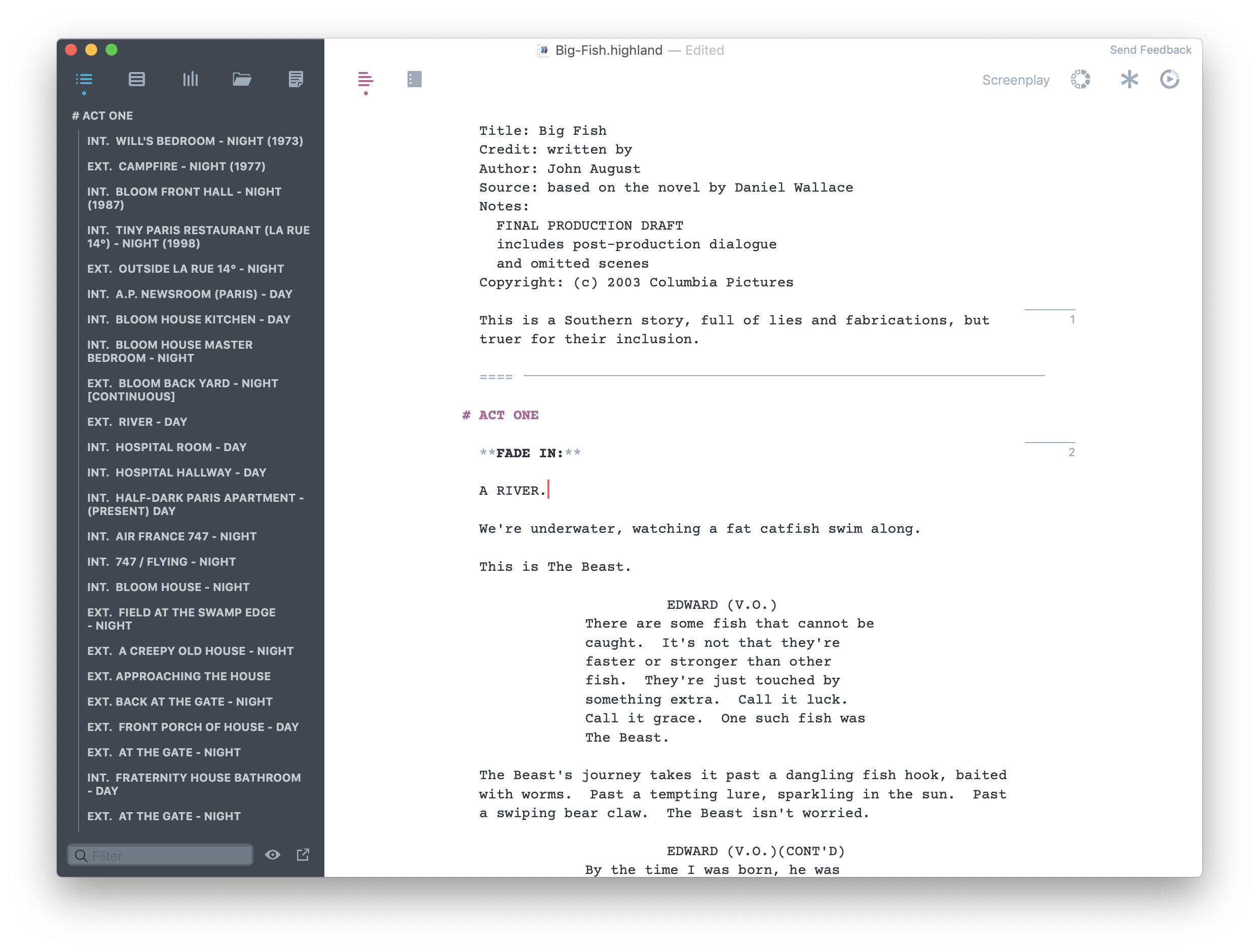
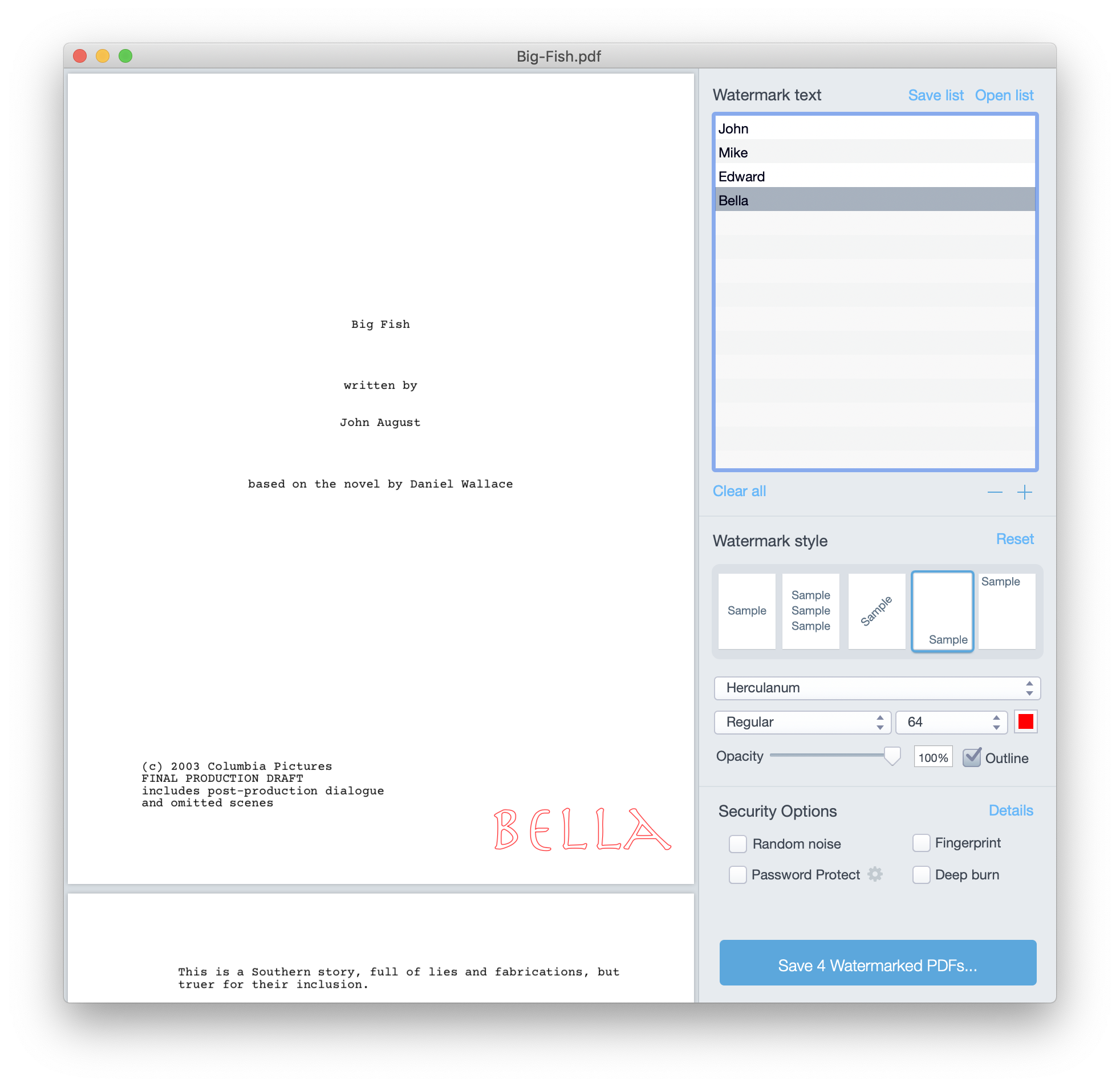
When we originally released Fountain we included the Fountain parsing and writing code, and the Xcode project consisted solely of tests. Several people requested that we provide a little more to get up and running. You’ll now find a sample project included that parses a script (the wonderful Big Fish) and displays it as HTML. Naturally, for this to work we added an HTML converter to the project. It’s very simple, but should at the very least illustrate how to work with FNScript and FNElement.

More importantly, we’ve decided to make our pagination code open source. FNPaginator was built under the supervision of a bonafide screenwriting expert, so it’s safe to say it’s pretty legit. It splits large dialogue blocks up across pages, adding the appropriate MORE and CONT’D, and is smart enough not to split in the middle of a sentence. I’m immensely proud of our work on this thing, and we’re giving it away for free.

What’s Next?

As previously mentioned, we’re going to release our FDR parser as soon as we’re done with Highland, and that will hopefully be soon. We’re also eager to hear about Fountain integration into your apps. Several apps, including Fade In Pro and Storyist, have already added support for Fountain. If you’ve developed an app to use Fountain or are incorporating Fountain into an existing app let us know. It makes us feel all warm and happy inside. :-)

Feb 18 2012

About That Thing

In his announcement of Highland John included “One More Thing”: I figured out a simple way to export text from Final Draft’s legacy .fdr format. To be clear, I’m basically smashing the format with a baseball bat, and collect the guts that spill out. It’s not pretty or elegant, and frankly it’s ridiculous that this even works. In my defense, I have no idea what I’m doing.

In addition to making the .fdr parser a part of Highland — allowing users to export legacy .fdr files to Fountain, .fdx, and PDF formats — John suggested releasing the .fdr parser as a way to give back to the community. My initial reaction was to scream “Never!” and whip my fist into the air; I argued we would be better off making money from people buying Highland to export .fdr files than we would be releasing it for free. After all, the more we can make selling our apps, the more time and energy we can commit to making these and future apps better.

The problem is, we’ve all complained for years about the lack of a .fdr to .fdx converter, forcing users to purchase a new, proprietary app in order to move their writing to an open format, yet here we are essentially saying the same thing, with Highland taking Final Draft 8′s place as the proprietary app.

So, I’m happy to announce that we will be making open source our .fdr parser. As usual, John is right — releasing this code is the right thing to do.

As John mentioned, we’re beta testing Highland right now, but once the app is released I’ll put our Objective-C code up on GitHub, under a MIT license (just like Fountain). I should warn you in advance, you’ll probably face-palm when you see how the code works.

I still hope people will buy Highland and the other Quote Unquote Apps products. We literally can’t do this without your support. But we also hope this will mean no one will have to worry about exporting their files from the .fdr format. We’re not big fans of Windows, so there’s definitely room out there for other programmers to build useful tools based on our code.

I’ll talk more about the parser when it’s ready for release. Stay tuned.

Dec 31 2011

This Year’s Movies

I watch a lot of movies.1 Whenever people complain that Hollywood isn’t making any good movies I get annoyed, because most of the movies I see are pretty good. Yes, there are occasionally turds, but really, I saw a lot of great movies this past year, and only one or two that I felt were a waste of my time. I ran through the list of movies released in 2011 and marked down which ones I’d seen, either in theaters or at home, and here’s that list:

  1. The Green Hornet
  2. No Strings Attached
  3. The Mechanic
  4. Just Go With It
  5. I Am Number Four
  6. Unknown
  7. Drive Angry
  8. Source Code
  9. Hanna
  10. Scream 4
  11. Fast Five
  12. Thor
  13. Bridesmaids
  14. The Hangover II
  15. Kung Fu Panda 2
  16. X-men: First Class
  17. Super 8
  18. Green Lantern
  19. Bad Teacher
  20. Transformers: Dark of the Moon
  21. Horrible Bosses
  22. Harry Potter and the Deathly Hallows Part 2
  23. Captain America: The First Avenger
  24. Friends with Benefits
  25. Cowboys & Aliens
  26. Crazy, Stupid, Love
  27. Attack the Block
  28. The Devil’s Double
  29. The Change-Up
  30. 30 Minutes or Less
  31. Conan the Barbarian
  32. Fright Night
  33. Our Idiot Brother
  34. The Debt
  35. Red State
  36. Real Steel
  37. In Time
  38. Immortals
  39. Mission: Impossible – Ghost Protocol
  40. Newlyweds

Keep in mind this isn’t all the movies I watched this year. These are only the ones that I saw that were released theatrically in 2011.2

I started writing little mini-reviews for all of the above, but that got tedious. Instead, I’m going to jot down some choice notes–

Fast Five was my favorite film of the year. It’s an awesome heist film. I had to brow-beat people into seeing this movie, but they have all not only loved the flick, but they’ve walked away wanting to see the other films in the series (if they hadn’t already). I’m telling you, if you have doubts, put them aside. The flick is a winner.

Attack the Block was the worst film I saw. It’s about a group of kids that fight back an alien invasion. Only the movie starts with the kids brutally attacking and mugging an innocent woman, then hunting down and beating to death the first small alien that lands, then dragging its carcass back to their building to present as tribute to a drug dealing gangster. Yeah, great people these kids.

No Strings Attached and Friends With Benefits have the same set-up, but FWB executes better. It’s tempting to say that these are really the same movie, but honestly that’s not fair. Although they share the same premise, and basically end up in the same place, they feel very different, in large part due to a strong subplot dealing with Justin Timberlake’s father in FWB. I also have to say that I think Mila Kunis did a better job in her movie than Natalie Portman did in hers — Kunis sells being in love better than Portman does.

The sequence in Transformers: Dark of the Moon where the building falls over is the most amazing action sequence I’ve ever seen. The movie is worth seeing just for that. That said, I couldn’t get over how weird the new love interest’s lips were. Plus the plot makes absolutely zero sense, and is wholly inconsistent with the previous films. Also, it’s too long. Come to think of it, I kind of hated this movie. Still, Patrick Dempsey brought his A-game and that action sequence was badass.

This was the year of comedies, and it’s very hard for me to pick a favorite (so I won’t), but I will note that Crazy, Stupid, Love and The Change-Up are full of hilariously surprising moments. I mean, look, I’m a pretty sophisticated movie goer, and I’m a pretty funny guy3 but a lot of the jokes and plot points in these two movies caught me completely off guard. It’s great to see a movie like that. Two in one year? Amazing.

Melissa McCarthy owned Bridesmaids, and that’s saying a lot given that the film was chock-a-block full of funny ladies. Likewise, Kevin Bacon dominated X-men: First Class, though with decidedly fewer funny ladies to compete against.

Cameron Diaz vs Lucy Punch! Bad Teacher turned out to be a really funny movie.

John thought Just Go With It was a Katherine Heigl movie. It’s that Adam Sandler flick where he has to pretend to be married to Jennifer Aniston in order to pork a twenty-year-old model. I liked it. There’s a great Nicole Kidman cameo, and Nick Swardson is awesome (as always). I mean, it’s neither Sandler nor Aniston’s best work (and she was also in the great Horrible Bosses this year), but it’s worth a viewing, if only because there’s a refreshing message about dating someone age-appropriate here.

Real Steel is the Hugh Jackman robot boxing movie. It’s a modern day Over the Top. If you’re not sold after those two sentences then we’re probably not friends.

Kevin Smith’s Red State was surprisingly good and a mess at the same time. Ed Burns’s Newlyweds was unsurprisingly good, but felt cheap.4

Drive Angry stars Nick Cage as a man that escapes Hell in order to rescue his baby granddaughter from a Satanic cult. The movie is as awesome as it sounds. It doesn’t take itself too seriously, and is fun, fun, fun. Plus there’s Amber Herd being hot, and William Fichtner being creepy, but in a funny way.

If you haven’t seen the original Fright Night you’ll probably really enjoy the remake. If you have seen the original you’ll probably be disappointed. I don’t blame the filmmakers, though. Recapturing the feel of the original is a tall order (even the original film’s sequel couldn’t pull that off). At the very least it’s a good vampire flick.

Source Code is a fantastic movie. I haven’t ranked the movies I saw, but it would be near the top of the list if I did. It’s a perfect mix of mystery, sci-fi, romance, and drama. It’s a remarkably beautiful film.

I wanted to see The Girl With the Dragon Tattoo, but just didn’t get around to it. I’m not sure if I’ll see it in theaters.

So 2011 turned out to be a very good year for movies. 2012 has (among others): Haywire (Soderbergh’s Gina Carano punching guys in the face movie), Underworld: Awakening, The Grey (Liam Neeson being badass), The Woman in Black, The Lorax, The Hungar Games, Wrath of the Titans, American Reunion, The Cabin in the Woods, The Avengers, Dark Shadows, Snow White and the Huntsman (one of the best trailers I’ve seen in a long while), Rock of Ages, Prometheus (Ridley Scott’s Alien prequel and THE best trailer I’ve seen in a long while, Jack the Giant Killer, GI Joe: Retaliation, The Amazing Spiderman, The Dark Knight Rises, another Bourne film, the Total Recall remake, another Resident Evil, new Judge Dredd, another Taken, Frakenweenie, Skyfall (the next James Bond movie), the Red Dawn remake, and, last but not least, Premium Rush (No brakes. Can’t stop. Don’t want to either.). So, yeah, no good movies anymore, right?

  1. This is qualitative, not quantitative. I don’t know how many new movies the average person sees a year, and the only people I can compare myself to are 1) science nerds, 2) LA/Hollywood people, and 3) my family. So I have no idea what normal people are like anymore. []
  2. For example, I also watched My Dinner With Andre for the first time. Or maybe more accurately, I sat there while My Dinner With Andre happened in front of me. WTF were these guys talking about? []
  3. Based on the fact that women always laugh when I take my pants off. Hey, wait a minute… []
  4. Which it was. The budget for the film was $9,000. Yes, nine thousand dollars. []
Dec 03 2011

Setting up CoffeeScript in CodeRunner

The nifty Mac app CodeRunner lets you edit and run code written in a variety of programming languages in a window. It comes pre-installed with the most likely programming candidates — AppleScript, C, Perl, Ruby, etc — and allows you to add others fairly easily. Just pick your language, write your code, and run.

My pal John asked for a little help getting the app working with CoffeeScript1, and since this process doesn’t seem Google-able at the moment, I figured I’d give a little back to the Interwebs by detailing it here:

To set up CoffeeScript with CodeRunner you need to install Node.js, npm (node package manager), and the CoffeeScript command line tool on your machine, then add CoffeeScript to CodeRunner’s configuration.

1. Install Node.js and npm

You can install both Node.js and npm at the same time via the Mac installer available at http://nodejs.org. At the time of this writing, the direct link to the latest Mac installer is here. Just download, run, and you’re good.

2. Install CoffeeScript

After you have installed npm open Terminal and run the command sudo npm install -g coffee-script. It will ask you for your password, and then install the command line CoffeeScript tool onto your system.

3. Configure CodeRunner

In CodeRunner, open the Preferences and add a new language to the list of available programming languages (you should probably name it CoffeeScript). Under Run Command write coffee $filename, set the Syntax Mode to JavaScript and the File Extension to coffee. For the visual learners out there, here is a screenshot of what that should all look like:

CoffeeScript CodeRunner configuration

That’s it. You should now be able to run CoffeeScript in CodeRunner. You can add other languages in a similar manner — install the command line version of the language processor and configure the app to use it.

Happy programming!

  1. Yes, when John August isn’t busy writing awesome movies and/or writing Broadway shows and/or podcasting and/or managing several on-going software products, he’s writing code in CoffeeScript. Math-y code, no less. []
Oct 06 2011

Legacy

In 2003 I bought my first cell phone. It was a Samsung flip phone, top of the line according to the sales woman, yet also somehow free with my T-Mobile contract.1 The phone was a morass of features buried in menus and submenus. It would be easier to escape one of those death traps from the Saw movies than it was to send a text message with that thing. Worse yet, I was paying for features I didn’t understand and couldn’t use. After using that thing for a couple of months I finally built up the courage to call Samsung technical support, which, as expected, was a labrynith of menus, rife with confusing options and emotionally unsettling Muzak. Twenty minutes later — approximately four jazz flute solos, if I remember the musak correctly — I got to talk with a delightfully inept Pakistani gentleman named “Christopher,” who repeatedly told me to refer to the manual that came with the phone. Eventually I gave up and decided to just settle for what I got.

If Steve Jobs settled for the way phones were back then, we’d never have the iPhone. The iPhone is brilliant because it solves a problem with nearly all cell phones since they started adding more than just talk to them — how do I use this damn thing? The iPhone presents everything you want to do, clearly marked, right on the home screen.

Obviously, the iPhone does more than just that, but the resistence to settling for a bad status quo is what I think defined Steve Jobs. Before his return to Apple he founded NeXT, which formed the technical foundation for what we know now as Apple. NeXT had a number of great innovations, but the one that strikes me the best is Interface Builder. IB allows developers to quickly and easily build user interfaces and connect the interface to code all in a GUI.2 If you’ve ever had to build an interface in code, you’ll recognize IB as a revelation. It’s something many of us Mac and iOS developers take for granted now, but IB is exactly what Steve Jobs has been all about: it gives people a better way of doing something that wasn’t terrible, but wasn’t all that great either.

In other words, Steve Jobs declared war on mediocrity.

It’s easy to recognize when something doesn’t work, but it’s harder to see when something works, but is sort of awful. These are the “unnoticed problems” of the world.3 It’s not that we’re unable to see that something’s wrong, it’s that most of the time we’re fine settling for what little works right. Maybe it’s optimism, or laziness, or simply a lack of will, but we let these unnoticed problems persist. We tolerate mediocrity because it’s easy.

Steve Jobs was great at solving those types of problems. The success of the iPod didn’t come simply from how nice the devices were, they were the first MP3 players that were integrated with really stellar music management software. Before the iPod we settled with poor music transfer software, and poorer music players. iTunes made everything easy. It made things better.

At the end of the day, that is Steve Jobs’s legacy — he made things better. He made owning a cell phone better. He made listening to music better. He made buying music better. He made making software better. He made selling software better. He made using a computer better. He made managing our data better.

I want to make things better. I don’t want to be the guy that grits his teeth and suffers through using a poorly designed phone. I don’t think I have to be that guy. I don’t think any of us have to be that guy. Steve Jobs sure as hell wasn’t that guy. So the next time I have to deal with something that’s not okay but not great — which will undoubtedly be tomorrow — I’m not just going to put up with it. I’m going to do something about it. In that way, even in death, Steve Jobs is going to make something better: me.

  1. I was suckered into getting a T-Mobile phone because of Catherine Zeta Jones. I’ve never forgiven her for that. []
  2. Here’s a YouTube video of a young Steve Jobs demoing IB back in 1991. []
  3. A great example of this is how for millions of years the peoples of the Earth have been using measuring cups that you can’t read while you fill. Oxo and company finally solved this problem (via Gruber). []
Aug 11 2011

Poor Patenting

In “Why Software Patents Are Not Fixable” Marco points out how completely broken the current U.S. patent regime is, and why it’s turning into a giant mess for everybody. Smartly, he lays blame at the doorstep of the US Patent and Trademark Office. In that, we are in 100% agreement.

Like Marco, I’m not a lawyer, but at one point I thought I wanted to be one. I got into a pretty good law school, and prepared for the patent bar, which is required to file patents with the USPTO.1 With that background, I think I can add some more to what Marco is saying.

Why the USPTO Sucks at Its Job

Marco explains the two big requirements for a patent: novelty and non-obviousness. You can check novelty by looking at prior art, and I’m not sure how big a problem that ends up being in practice. Non-obviousness is a different story; I think this is where the system is falling apart. How come?

Patents take a long time to get. In fact, Austan Goolsbee, Obama’s former head economics advisor, made the rounds on the TV last week touting acceleration of the patent granting process as a bi-partisan measure that would help the economy.2 I don’t recall exactly what the average is for being granted a patent, but I know it’s measured in years. So it’s not like patent examiners are rushing through these things and shooting them out without looking at them. There’s a lot of work that goes into examination process.

The next logical question you might ask, then, is who are these patent examiners? Ah, and that’s great question. Here are the requirements to become a Patent Examiner for the USPTO:

  • Be a US Citizen or National.
  • Be willing to live/work in the D.C. area.
  • Have a 4-year degree in a science or math discipline.

That’s it. I’m sure work experience helps, but basically the USPTO is looking for people simply with an educational background in the art the patents are based on. That’s what is considered “ordinary skill” by the USPTO.

And that is the problem. The bar for “ordinary skill” is set far too low. In the sciences we nearly universally agree that the people that know what’s going on are the one’s with Ph.D.s. Bachelor’s degrees don’t carry a whole lot of weight standing next to Ph.D.s and M.D.s, for example. Yet to the USPTO, a person with a B.S. is qualified to determine if a medical device an M.D./Ph.D. has invented is a non-obvious invention. Seriously. I’m sorry, but that’s just not how it works. A B.S. degree is the beginning of one’s journey in mastering an field, not the end. Which is why there’s another degree called Master, and terminal degrees called Doctorate. It’s really not hard to understand. And having a degree doesn’t even mean the person is a competent practitioner in the field, let alone skilled enough to judge patents.3

Now, it’s entirely possible that 100 years ago, when cutting edge technology literally involved a sharp blade and better levers, normal users of a tool might have had “ordinary skill” in the art, but today the fields of science and technology are so huge and so complex that it’s simply not credible to believe a non-Ph.D. could know what is really going on in the peripheries of the field.

What’s worse, the longer a person is a patent examiner, outside the field they’re supposed to be policing, the less they’ll know about what is new and exciting in their field. Counter-intuitively, a patent examiner is probably most qualified to judge non-obviousness the day they’re hired by the USPTO, and decline every day thereafter.

Why Software Patents Might Be Fixable

Understanding all that, I think there are some obvious solutions to the patent crisis. The USPTO needs more qualified examiners to determine the merits of a patent. My suggestion would be to look to the peer review model academia uses. Yes, yes, yes — that’s not a perfect system, but it’s miles better than what the USPTO is doing, and might even work better for patents than for journal articles.

Here’s what you do: make patent reviewing a requirement for all federal research grants, and give rewards to reviewers in terms of prestige and priority access to key talks and meetings. That would give you a huge pool of quality academics — experts in their fields — to review patents, and give incentives to people, particularly younger Ph.D.s, to step up and get involved. Have a three person committee review each patent based on non-obviousness, while the USPTO’s patent examiner does the logistical work (checking prior art, checking drawings, etc). This way we get to keep the current crop of examiners, but ensure we get a better review of a patent’s merits.

Moreover, the incentives for academics reviewing patents more closely aligns with society’s goals in granting exclusivity. That is, they want to prevent dangerous and over-broad patents from restricting innovation, but don’t want the patent process to grind to a halt, lest their own ability to get patents is compromised. Right now, patent examiners have zero skin in the game — they don’t work in the field anymore (assuming they ever did), so who cares if someone gets a patent that screws everyone else up. I trust the experts to set the bar where it needs to be — high enough to prevent riff-raff from getting patents that could destroy an industry, but low enough that real invention is still being protected.

There are still problems unique to software patents that might make them untenable. Marco might be right to say the system is broken beyond repair, but I’m not sure. I am sure, however, that there’s no way we’d get rid of the patent system, even if just for software. To keep advancing as a society, we’re going to need an innovative solution to the software patent problem.

  1. I went into law school wanting to do Intellectual Property, and emailed the Dean requesting to withdraw the day we went over a full patent from top to bottom in my first real IP class. That was not a coincidence. []
  2. I’m pretty sure if Marco saw any of these interviews his head would have exploded. []
  3. With no disrespect meant to Marco, he has himself admitted that while he is an excellent programmer, he’s a not very great computer scientist. That’s the kind of distinction that the USPTO should be taking into account, but doesn’t seem to be. Even people with excellent technical skills might lack the depth of understanding need to analyze novel inventions in that field. []
Jul 21 2011

Two for the Price of 1.1

FDX Reader iPhone screenshotFDX Reader 1.1 is out today, and in addition to a number of bug fixes and a change in pricing, we’ve changed our little iPad app into an iOS Universal app. That means if you’ve got a device running iOS 4.2 or better you’ll be able to run FDX Reader on it. I’m looking at you, iPhone and iPod Touch.

John made the announcement at johnaugust.com, and explains some of the background behind the app. We decided pretty early to bring FDX Reader to the iPhone, and that we wanted you to be able to buy once and get both the iPad and iPhone versions. I think most people would agree that it’s kind of a dick move to make someone pay twice for the same thing. But the thing is, the iPhone version of FDX Reader turned out to be a very different app from the iPad version.

The iPad version of the app uses a page flipping metaphor. We fill the screen with content, and you can flip forward and backward through the script, always looking at a single full screen of content. This is very natural for a screen the size of the iPad, and I think it works very well. But this doesn’t scale down to the iPhone’s smaller screen size. Trust me, as the guy responsible for writing this stuff, I desperately wanted to just load the iPad code-base onto the iPhone, rejigger some widths and heights, and call it a night.1 But just reformatting the same views for the iPhone would have meant flipping up to four times more on the iPhone than on the iPad, and that got very annoying very quickly.

Long story short, the FDX Reader for the iPhone uses a scrolling metaphor. The entire script is loaded up, and you just scroll through it as you read. This feels much more natural on the iPhone’s smaller screen, and we all think it works pretty well. Unfortunately, that meant rewriting all of the script display code, most of the code related to the page jump slider and the font size switcher, and some of the data model internals. This is why it took us a while to put the iPhone version of the app together, and why we’re treating it like a big deal.

Moving forward, we’re going to have to handle two separate code-bases, each with it’s own needs and potential bugs. I mean, don’t cry for me Argentina, but, yeah, it’s going to be kind of a pain. In light of this, I completely understand why some apps charge separately for iPad and iPhone versions. If you can’t just re-scale your interface, it’s potentially a lot more work to support the iPhone and the iPad version. I think going Universal still felt right for us, but I’m much more sensitive to apps that split the iPad and iPhone versions. It’s not always motivated by greed, but by the amount of work needed to support two very different user interfaces.

If you’ve already bought FDX Reader, download the update and try it out on your iPhone or iPod Touch. If you haven’t bought the app yet, now is as good a time as any. If you find any bugs or have any suggestions, feel free to drop us a line.

  1. There are a lot of Real Housewives shows, and they’re not going to watch themselves. []
May 25 2011

FDX Reader’s First Bug

Congrats to Khan Tang for helping to identify the first FDX Reader bug.

Here’s the issue: if your script ends in either a character cue (the character’s name, but without dialogue below it) or a scene header the app will crash because it’s expecting something to follow it.

Why would a screenplay end with one of those tags, anyway? In most cases, it’s because the screenwriter typed “The End” and used one of those tags instead of an action line. It’s not wrong. It’s just not what we were expecting.

We’ve already found and fixed the bug in our code. We just have to do some internal double-checking, and we’ll submit an update to the App Store that addresses this bug in the next day or so.

Apple’s review process can take a week, so in the meantime if you find that a particular script crashes when you try to run it, please check to see if the last line of your script is a character cue or a scene heading. If it is, you can change it to an action element so that it will work in the app until the update comes out.

You shouldn’t have to modify your files to work with FDX Reader. This is just a short term workaround while we get the update out.

On the other hand, if the app is crashing and your script doesn’t end with one of those element types, please let us know as soon as possible via the official email: support@quoteunquoteapps.com. App crashing bugs are our highest priority (we take all bugs seriously, of course, but the app shouldn’t crash, ever). If you don’t mind sharing a sample file that is crashing in the app, that will dramatically help us solve the problem. Of course, don’t send a super top-secret Star Trek 2 script or such.

We hope you’re enjoying FDX Reader and finding it useful. We’ve been getting great feedback (good and bad) and we’d love to hear from you.

May 24 2011

FDX Reader 1.0

John said it best: We made an app!

FDX Reader is a screenplay reader for the iPad. You feed it a Final Draft XML formatted script, and you get a beautiful interface to read your work. The app was produced by screenwriter extraordinaire John August, designed by the brilliant Ryan M. Nelson, and coded by little ol’ me. It was beta tested by some amazing people, and the end result is a product we’re all immensely proud of.

J.J. Abrams (of Alias, Star Trek, Lost, Super 8 fame) says of our app:

Loving this app. Love the page color and graphics. Makes me want to go write something. Beautiful work.

Rob Thomas (of Veronica Mars, Party Down, and Cupid fame) says:

I throw all my active script files into Dropbox already, so FDX Reader is incredibly convenient. For me, two steps have been eliminated: conversion to PDF and syncing those files to my iPad. My working active scripts will always be available now.

I read a hundred scripts this staffing season, and they were all PDFs. Sure, I’m able to read them on my iPad, but without the ability to change type-size, I find the print is slightly too small for me to be totally happy. Life would’ve been much better if I’d had this app.

The app is currently avaiable in the App Store, and if you think you can use something like this, or just want to support cool independent iOS software development, please purchase a copy and leave us a nice review.

For more info you can check out John’s announcement on his blog, the official site Ryan built for the app, and the great video John made to show the app off. If you have any problems with the app, let us know. We’re working hard to make FDX Reader the best app it can be.

May 23 2011

“This is the start of something cool.”

How often do you really get to say that? Even if you’ve got a great job, something cool normally doesn’t come around every day. something cool is elusive. It hides from you when you go looking for it, but falls in your lab when you’re least prepared for it. Some people spend their whole lives chasing after something cool, constantly disappointed that they don’t find it. Everyone wants to work on something cool. Everyone.

Once something cool is in front of you, it grabs hold of your brain and refuses to let go. You’ll be eating a sandwich and thinking about how you should be working on something cool, making the most delicious of hot pastrami sandwiches taste like fart. You’ll have to learn all sorts of new things in order to make something cool work, and then you’ll have to learn even more when you discover that what you had already learned was mostly wrong. something cool will take longer than you ever thought it would. It’ll make you doubt your skills. It’ll make you regret ever getting started. something cool will keep you from getting to the gym. It’ll make you drink more high-fructose corn syrup infused crap. something cool will make you it’s bitch.

But something cool is worth it. When you’re done and you’ve got something cool actually sitting in front of you, you’ll marvel at the fact that you were actually able to make it a reality. You’ll think back to all the bullshit you had to endure and it’ll make you feel like a super-hero. You’ll want to tell everyone you know about something cool, and they’ll pity you because they won’t understand or care about something cool the way you do.

I’ve been lucky enough to start something cool a couple times now, and what I’ve learned is this: the only difference between something cool and everything else is all in your head. something cool to you may not be something cool to anyone else, including the other members of your team. You decide what is and isn’t something cool. And sometimes you think you’re starting something cool and part way through you realize what you’re doing really isn’t. something cool is make-believe.

The truth is any project you start can be something cool. You just have to want it to be. You have to want to keep it on the tip of your brain. You have to want to learn as much as you can to make your project come to life. You have to be ready to engulf yourself in the project, in very unhealthy and probably self-destructive ways. And, most importantly, you have to view the project after completion as a worthwhile accomplishment. It you feel like what you’re doing isn’t something cool, the problem isn’t the project, it’s you.

From now on every project I take on is going to be something cool.